The night shift
Ballet is designed for the human sleeps — Ballet works: plan in the evening, let agents work unattended, read the results in the morning (Unattended Operation).
Before you leave
Choose the work. Move tickets to Ready, or plan new ones with the planner. Small tickets with clear acceptance criteria finish; vague ones come back as questions.
Check the policies. Merge auto merges once every gate passes; use manual — or Review agent+human — for tickets you want to see before they land.
Set budgets. Tokens per ticket and per day, on the organization page and in the project settings. Work over budget waits instead of spending; a used-up ticket budget asks you for more.
Know the brakes. On the project page (or, for everything, on the Organizations page):
- Pause
Starts nothing new; running sessions finish their stage.
- Stop all runs
Pauses and cancels every run in progress; the stopped stages run again after Resume.
A single ticket can be moved to Paused.
While you sleep
Ballet starts ready tickets in dependency order and in parallel, runs each through its pipeline, retries infrastructure failures, restarts stuck sessions, and holds only the tickets that wait for an answer — everything else continues. All state is in the database: a restart picks up where it stopped.
In the morning
- Digest (project page)
What happened in a period: tickets done, failed and merged, sessions, tokens, questions, assumptions and changesets, and what is waiting and why. Download Markdown exports it.
- Inbox
The questions only a human can answer. Answering a night’s questions should take minutes.
- Assumptions
Confirm or correct what agents assumed.
- Ticket timelines
The details of any session, down to each tool call.
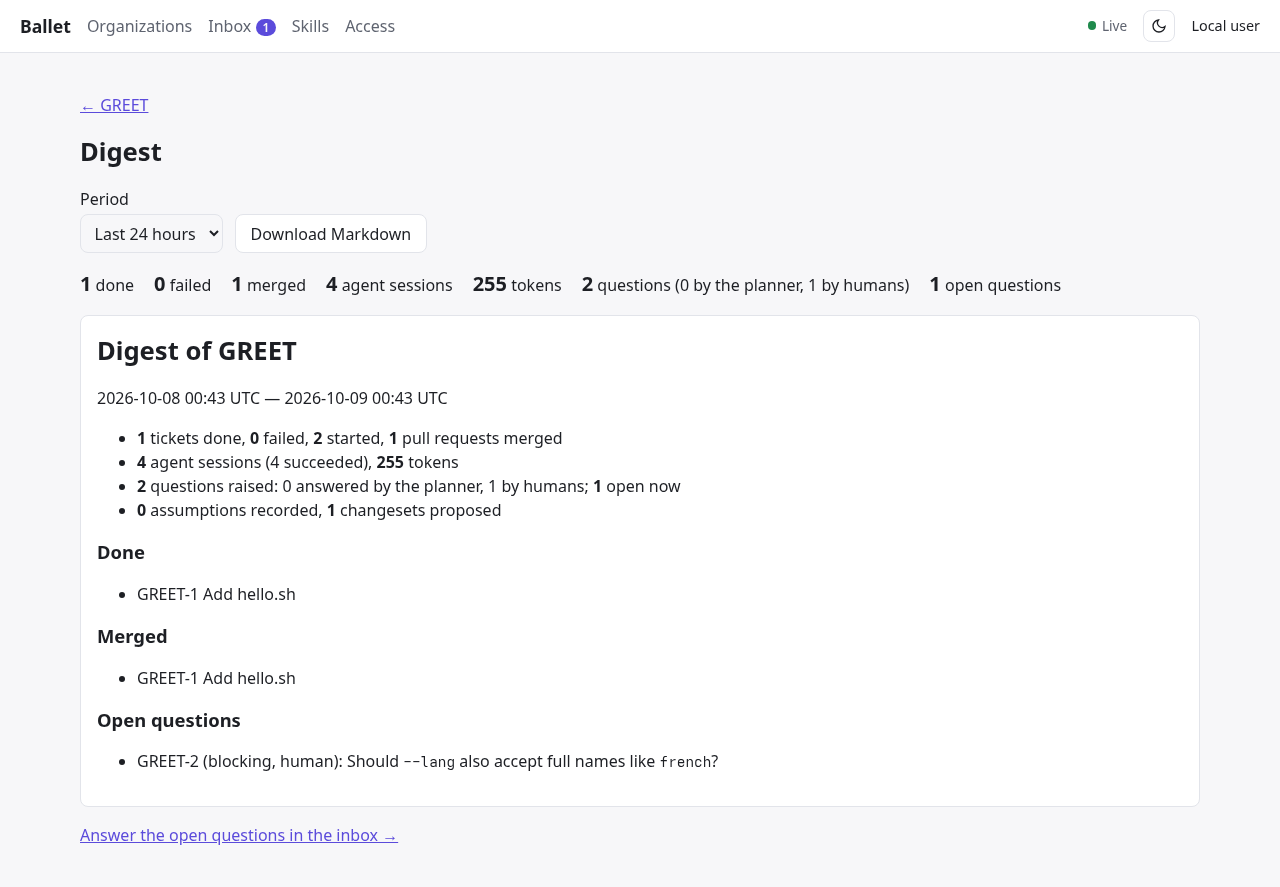
A project digest.
Metrics and dashboards for operators are described in Observability and Metrics.