Planning with the planner
Planning is where a human is expected to be present. You describe what you want; the planner agent — a product and project manager for one project — turns it into a plan (Workflow).
Chats
Open Planner on the project page and start a chat with a topic. Talk to it as to a colleague: the goal, constraints, what is out of scope. The planner can
read the project’s milestones, epics and tickets and search them;
search and read the organization’s knowledge base, and write documents and decisions into it;
read the project’s skills, to plan work that fits its process;
propose changesets.
Chats are kept and listed on the Planner page, so you can come back to one later. Long chats are summarized automatically so they stay within the model’s context (Planner).
Changesets
The planner never changes the plan silently. It proposes a changeset — a list of operations: create a milestone, epic or ticket, update an item, add a dependency — that shows in the chat as a card.
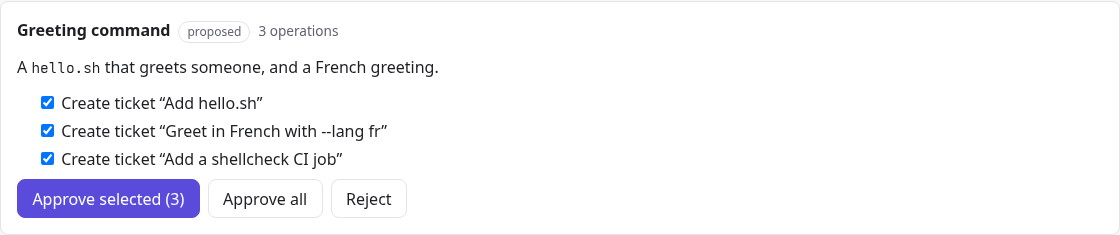
A proposed changeset.
Approve all applies every operation; or untick some and Approve selected. Operations that refer to items created in the same changeset need those approved too.
Reject discards it; tell the planner why and it proposes another.
Approved operations are applied together, atomically.
Changesets on the project page lists every changeset, including those Ballet proposes itself — for example a bug ticket after you reject an agent’s assumption on a finished ticket.
The planner may suggest how autonomously a ticket should run, but only a human sets a ticket’s policy.
Good tickets
Agents do best with tickets that are small, independently testable and have clear acceptance criteria; the planner is instructed to cut work that way. Dependencies (A blocks B) let Ballet run everything else in parallel and hold only what must wait (Scheduling). You can always add or edit tickets by hand on the board.