Tickets and the board
The board
The project page shows tickets by state:
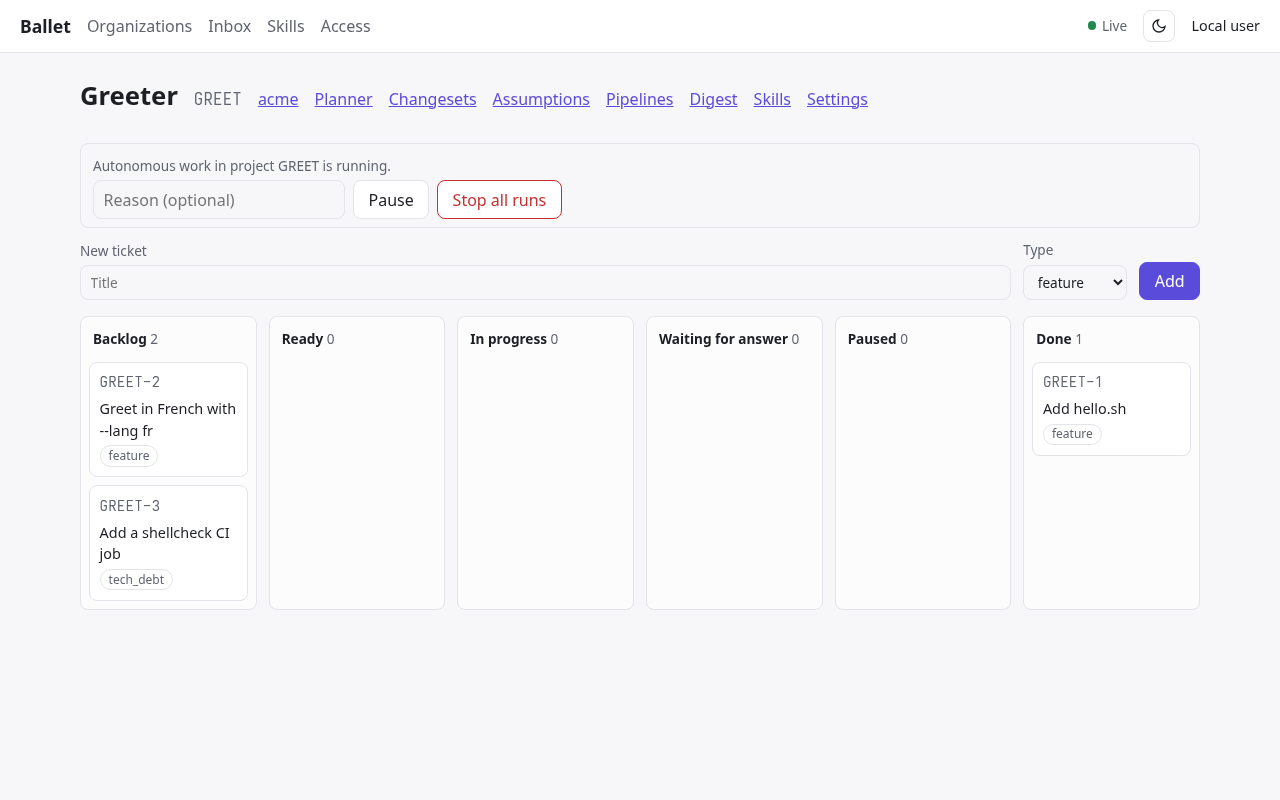
A project board.
- Backlog
Planned, not to be started yet.
- Ready
Agents may start it as soon as its blockers are done. The scheduler starts ready tickets in dependency order, in parallel up to the project’s concurrency limit (two by default).
- In progress
Its pipeline runs; the card shows the current stage.
- Waiting for answer
An agent asked a question that a human must answer.
- Paused
Held by a human.
- Done, Cancelled
Finished: merged and documented, or dropped.
You move tickets between Backlog, Ready, Paused, Done and Cancelled from the ticket page; Ballet sets the others. Add on the board creates a ticket in the backlog.
The ticket page
Edit changes the title, description, acceptance criteria, type, epic and the ticket’s policy:
- Review
agent: the Review stage’s verdict is enough.agent+human: a human must also approve the pull request.- Merge
auto: Ballet merges when every gate passes.manual: a human merges on the forge; Ballet notices.
Below the details:
- Dependencies
Blocks, Blocked by and Relates to links to other items.
- Knowledge
Knowledge entries linked to the ticket, such as the decisions its questions produced.
- Pipeline
The stages and where the ticket is. Stages that need a human show Approve stage and Reject stage.
- Pull request
The branch’s pull request with its review and CI state, and Merge for humans.
- Agent activity
Open questions, and the timeline of every session: stage, runtime, duration, tokens, outcome and its report (Sessions and questions).
- History
Every change and event, with who made it.
Pipelines
Every ticket runs through the project’s pipeline: by default Implement → Review → Verify → Integrate, each agent stage a separate session that never judges its own work. Review sends work back to Implement with its findings; a failed verification or a red CI does the same, up to an iteration limit (Ticket Pipeline). Changing the pipeline is described in Pipelines and skills.